Plain Markdown

Trusted by 1,000+ Chrome users

Convert any webpage into clean Markdown.

One click. No login. No noise.

From open tab to finished note.

Capture any page, ask it anything, send it where you work.

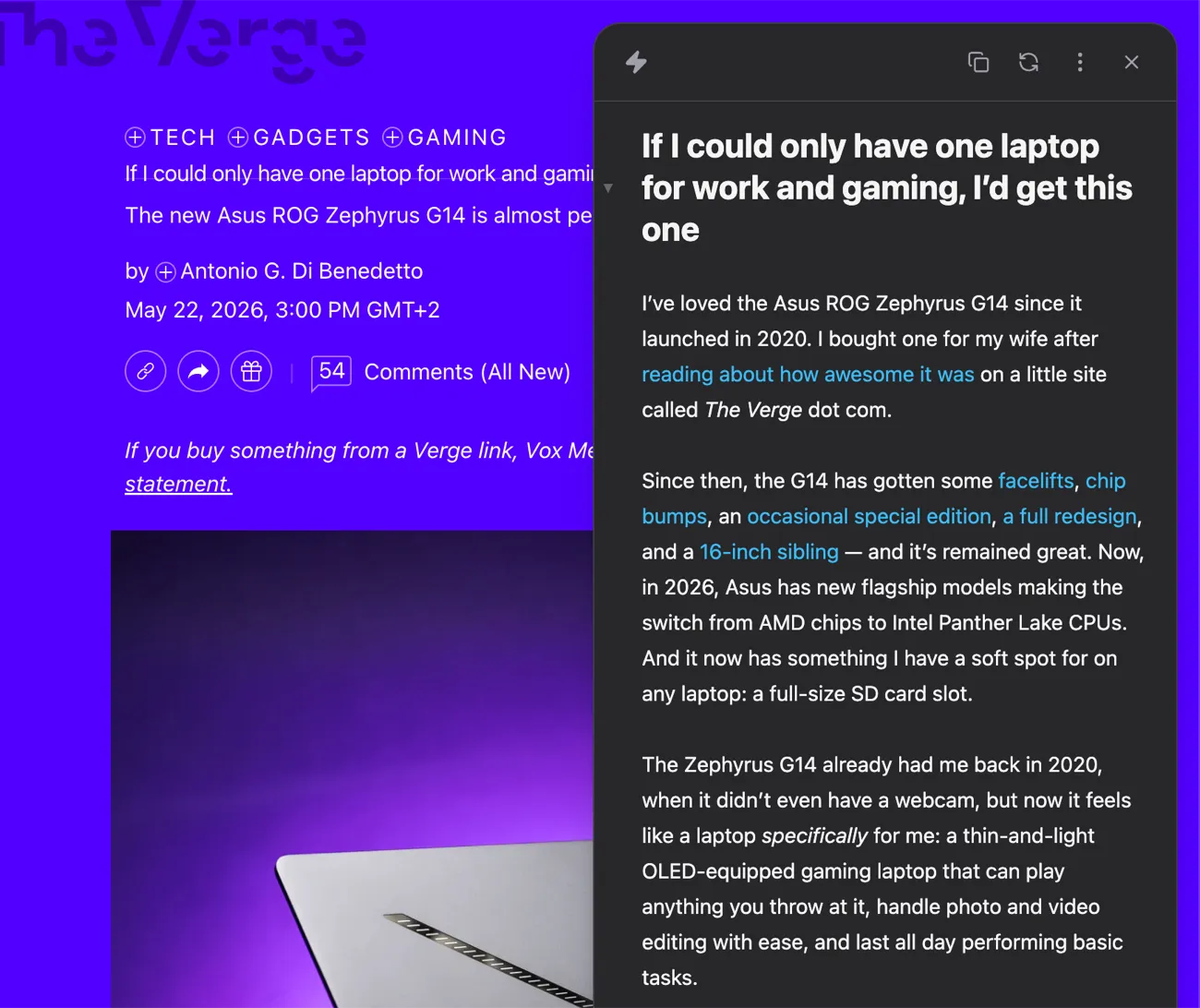
A cluttered Verge article reduced to clean, readable Markdown in the Plain Markdown side panel
Capture

The whole article. None of the clutter.

Turn any page into clean Markdown. Quote it, cite it, or drop it into a prompt.

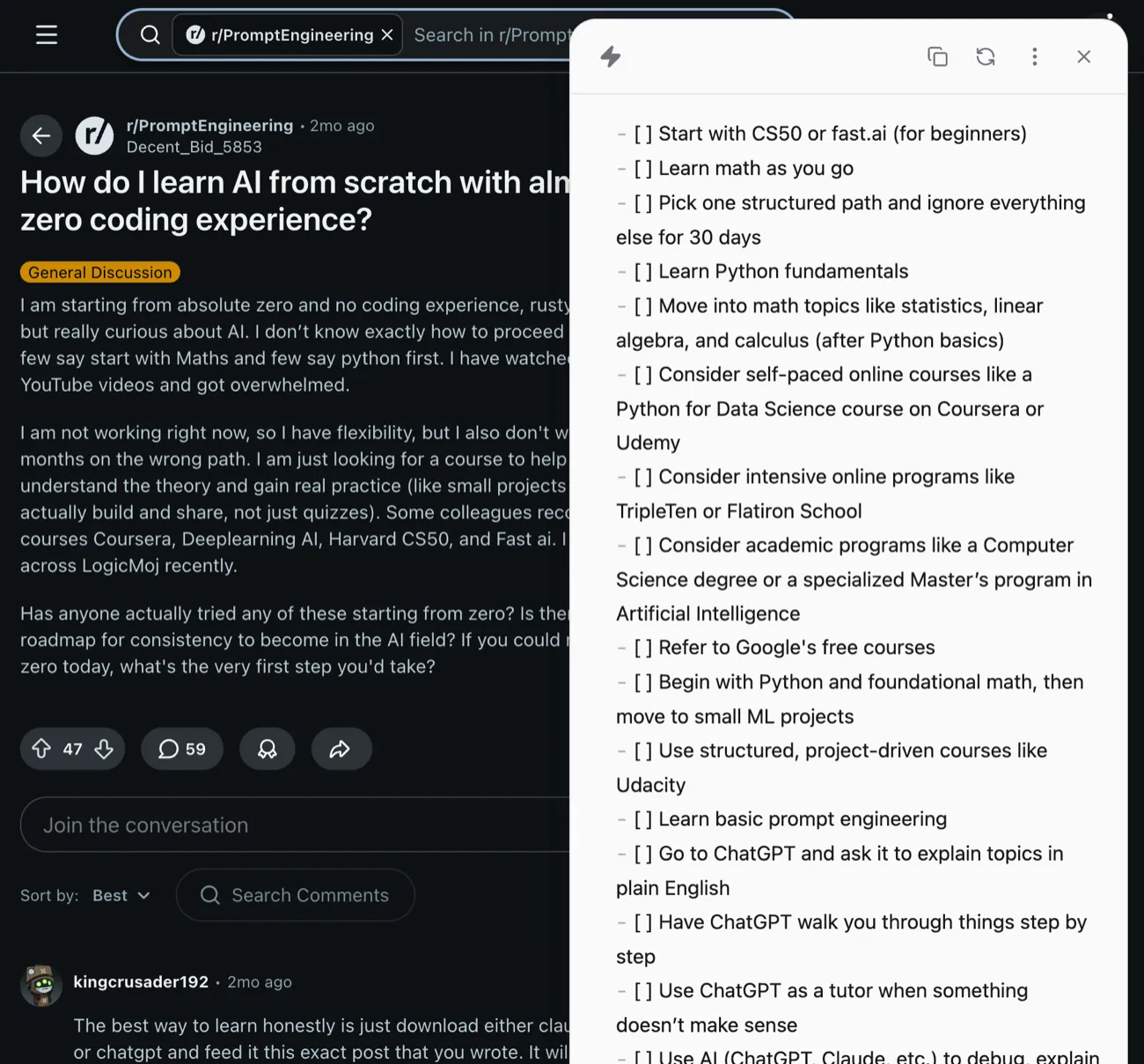
A long Reddit thread distilled into a clean, actionable checklist by Plain Markdown's AI actions
AI actions

Turn any page into answers.

Summarize it, rewrite it, or ask it anything, without leaving the page.

Destinations

It lands where you work.

Send it to Obsidian, Readwise, or Notion, fully formatted.

Everything it does.

Capture

  • One-click conversion
  • Multi-tab capture
  • Works on dynamic sites
  • Tables and code
  • Inline Markdown editor
  • Source info

AI actions

  • Curated everyday prompts
  • Build your own actions
  • Any model, your own key

Destinations

  • Obsidian
  • Readwise Reader
  • Notion
  • Copy to clipboard
  • Download .md

Out of the box

  • No account needed
  • Runs in your browser
  • Light, dark, or system
  • Free to use
Start here

Free.

$ 0 forever

For everyday reading, research, and notes.

  • One-click conversion
  • Multi-tab capture
  • Markdown editor
  • Obsidian, Readwise, Notion
  • 30 AI actions/month
  • No account needed
Pro 100×

100× more.

$ 29 /year

For people who run AI on everything they read.

  • Everything in Free
  • 3,000 AI actions/month
  • Cancel anytime
  • Priority email support
BYOK Lifetime

Your own key.

$ 19 once

For power users who want any model and full control.

  • Everything in Free
  • Your OpenRouter key
  • Pick any model
  • No monthly action cap
  • One-time payment

Common Questions

Do I need an account?

No. Free works the moment you install. Pro is a license key emailed at checkout, with no sign-up. If you lose it, recover it at plainmarkdown.com/my-key.

How many devices can I use a license on?

Up to 5. Getting a fresh key at plainmarkdown.com/my-key resets your devices.

Which browsers does Plain Markdown support?

Chrome, Brave, and other Chromium-based browsers. Firefox support is planned.

What's the difference between Free and Pro?

Free includes 30 AI actions per month. Pro 100× raises that to 3,000 per month and adds priority email support.

What counts as an AI action?

One run of any AI action. Failed requests don't count.

Can I cancel Pro anytime?

Yes. Email support@plainmarkdown.com. You keep access until the end of the billing period.

Which AI model does Plain Markdown use?

Free and Pro both run on Google's Gemini 2.5 Flash. With BYOK Lifetime you bring your own OpenRouter key and pick any model per action. One key covers 200+ models from the major providers (Anthropic, OpenAI, Google, and more), so your model is probably already there. If you need a provider OpenRouter doesn't cover, email support@plainmarkdown.com and we'll add it.

Does Plain Markdown send my data to a server?

Page conversion runs entirely in your browser. AI actions send the relevant page content to our server for processing, and nothing is stored afterward. With your own key, requests go straight from your browser to your provider instead.

Where is my OpenRouter key stored?

On your device, encrypted, in the extension's local storage. It never syncs across your browsers and never reaches our servers.